

The braille display I traveled with
Article topic: Technology and Autonomy
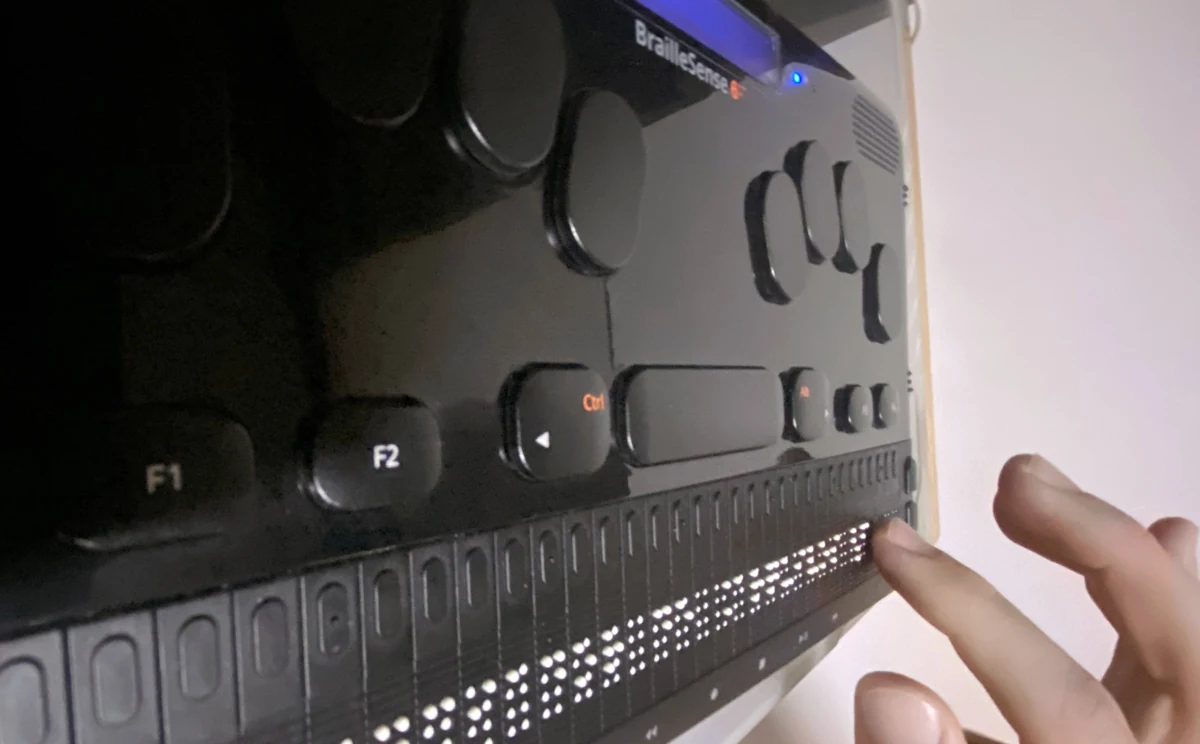
A braille display lets me read with my fingers what appears on a screen. It’s a device that connects to a computer or phone and shows that text as raised braille, with dots that rise and fall along a row of cells. It can also have a keyboard for typing in braille. I wrote about reading this way in “Reading braille on paper and on a braille display.”
During the years I spent providing support and advice on assistive technology, I used braille displays from several manufacturers. Once, someone asked me why there was such a big price difference between two devices that seemed to offer similar features. It was a fair question: if you’re going to spend that much money, you want to know how long what you’re buying will last.
I had both devices and could describe how each one worked for me. The braille on both felt pleasant to the touch and reminded me of the texture of dots on paper. One had an aluminum body and internal storage, and it could open several types of documents. The other was made of plastic. Yet when I traveled, I usually picked the plastic one: it had good battery life, and I found it easier to connect to my phone or computer.
Another difference showed up when I typed. One keyboard had small, somewhat square keys, and when I typed quickly, mistakes crept in more easily. The layout of the other felt familiar from the first touch, because it was closer to the keyboard of a conventional brailler. In a product description, both would simply be listed as having a braille keyboard.
What happens between tasks
I also liked being able to switch between wired and wireless connections with a physical switch. With other devices, I had to go through menus and remember a series of commands. On its own, each of those steps took very little time. When I had to switch devices several times, they started to add up.
The feel of the dots is another matter. In another comparison I made around that time, two compact displays gave me different reading experiences. The dots on one felt smooth and comfortable; on the other, the surface material got in the way of that feeling. It’s a difference that is very hard to show in a photograph, and it doesn’t come through when you run a finger over a few words, either. I noticed it once I sat down to read.
When someone asks me about a braille display, I want to know whether they’ll mainly use it to read, to take notes, or to work on a computer. Someone who moves from place to place several times a day may have different priorities from someone who spends hours at a desk. Even two experienced braille readers can differ in how they rest their hands and in the kind of dot they prefer.
The most sophisticated device wasn’t always the one in my bag. I preferred to take the one I knew well, the one I could connect and start using without spending part of the trip figuring out how. That advantage wasn’t listed on any spec sheet.